 Black Deal 50% off the first year with annual billing – only until December 31, 2026.
Digitize Your Bookkeeping: Go Paperless Step by Step

If you digitize your bookkeeping, you replace lever arch files, shoeboxes and Excel lists with a fixed digital workflow: receipts arrive digitally or are recorded immediately, invoices are created in the software, entries are posted via the bank connection, and at the end the Umsatzsteuer-Voranmeldung (UStVA, periodic advance VAT return) and the EÜR (cash-basis income/expense statement) are filed via ELSTER (official e-filing portal). For self-employed people, founders and small businesses, this can be done in a few weeks. What matters is not the scanner but a clean process that complies with the GoBD (principles for proper electronic bookkeeping). Here we show you which rules apply, in which order to make the switch and which mistakes you can avoid.
In a nutshell
- Digitizing means more than scanning: it covers all systems relevant to bookkeeping and taxes, from invoicing and document filing to email.
- The GoBD require traceable, unalterable records and a Verfahrensdokumentation (process documentation), even for small businesses.
- Documents received electronically stay electronic. A printout does not replace the original.
- Switch over in a fixed order: inventory, software, bank connection, document flow, invoices, documentation, tax filing.
- With software that connects directly to ELSTER, you can file advance returns and tax returns without switching between media.
Table of contents
- What digital bookkeeping includes
- The rules of the game: GoBD, deadlines and process documentation
- Digital bookkeeping in seven steps
- What your bookkeeping software should be able to do
- Digital bookkeeping with a tax advisor or on your own via ELSTER
- Typical mistakes when switching over
- Our view: digitizing means simplifying
- Switching over with Kontelio
- Frequently asked questions about digital bookkeeping
- Sources
What digital bookkeeping includes
When people hear “digitizing bookkeeping”, many think of the scanner first. The term is broader. According to the IHK guide to the GoBD, it covers all systems that are relevant to bookkeeping and taxation: document management, invoicing and also email correspondence. This has practical consequences: if an invoice lands in your inbox as a PDF, your email program is part of your bookkeeping until the document has been securely archived.
This is what the switch looks like in typical workflows:
| Workflow | Paper-based | Digital |
|---|---|---|
| Outgoing invoices | Word template, printout, filed in a folder | Invoice in the software, sequential number, sent as PDF or E-Rechnung (e-invoice) |
| Incoming receipts | Collecting receipts, sorting them monthly | Photo upload or PDF import right after receipt |
| Payment matching | Placing the bank statement next to the invoice list | Bank connection, payments are matched to invoices |
| Open items | Sticky notes, reminders in your head | Overview of open invoices with dunning levels |
| VAT (Umsatzsteuer) | Adding up figures, typing them into the ELSTER form | Generating and submitting the advance VAT return from your entries |
| Year-end closing | Taking folders to the tax advisor | EÜR from the software, access or export for the tax firm |
| Archive | Basement, shelves, moving boxes | Audit-proof filing with a search function |
Each row is a small switching step of its own. You don’t have to change everything in one weekend, but you should know where you want to go.
The rules of the game: GoBD, deadlines and process documentation
The legal framework for digital bookkeeping in Germany is the principles for the proper keeping and retention of books, records and documents in electronic form, GoBD for short. They apply to everyone who is required to keep books or records, including Freiberufler (independent professionals) who prepare an EÜR.
Timely recording
Digital does not mean “at some point”. The IHK guide gives specific time frames: non-cash transactions must be recorded within ten days, supplier-side (accounts payable) entries should be recorded within eight days, and transactions must be posted by the end of the following month at the latest. So if you collect receipts for a whole quarter and then record them all at once, you are outside these limits. A weekly 30-minute bookkeeping routine solves the problem almost by itself.
Process documentation
According to the IHK, taxpayers who are required to keep books and records must create a process documentation that fully and coherently shows the content, structure, workflow and results of the data processing procedure. For a sole trader, this is not an 80-page manual. A clear description is often enough: which software you use, how receipts get into it, who records them, where they are archived and how you back up the data.
If you scan paper receipts, a scanning rule is part of it. According to the IHK, it defines who is allowed to scan, when scanning takes place, which documents are affected and how quality control is carried out. An example for a one-person business: “I photograph paper receipts with the app by Friday of the same week at the latest, check that the amount, date and issuer are legible and assign them directly to a category.”
Electronic stays electronic
The most common misconception concerns PDF invoices. Many people print them out and file them so they have “something in their hands”. According to IHK Wiesbaden, the tax authorities do not accept paper printouts of electronic documents, which leads to a formal error in the bookkeeping. The original is the file, and that is exactly what must be archived unchanged. How long you need to keep which documents is summarized in our guide to GoBD and retention periods.
Cash registers and e-invoices
If you take in cash via an electronic cash register, you may only operate it with a certified technical security module (TSE) that records each individual sale, as explained by IHK Magdeburg on cash registers. The cash register data therefore also belongs in your overall digital picture.
On top of this, there is the gradually introduced e-invoicing obligation for business-to-business transactions. An E-Rechnung is not a PDF but a structured data record in the XRechnung (German e-invoice format) or ZUGFeRD (hybrid e-invoice format) format. Which stages apply and when they affect you can be found in our guide to the E-Rechnung obligation, and with the E-Rechnung obligation calculator you can check your own case in one minute. If you are digitizing anyway, you should factor in e-invoices right away instead of retrofitting them later.
Digital bookkeeping in seven steps
This order has proven itself for self-employed people and small businesses, because each step builds on the previous one.
- Take stock. Write down where your receipts come from: paper receipts, PDFs by email, downloads from customer portals, cash register receipts. Roughly count how many there are per month. Someone with 20 receipts needs a different workflow than someone with 300.
- Choose software. Decide what you want to do yourself and what the tax advisor will take over. This determines whether you need invoicing, EÜR, Umsatzsteuer-Voranmeldung and ELSTER submission in one program. You can find decision support in our guide Choosing bookkeeping software.
- Set a cut-off date. The easiest time to switch is at the start of the year or the start of a quarter. That way you don’t have to maintain any period in two systems. Old documents stay in their previous format and are not converted retroactively.
- Connect your bank and set up categories. Connect your business account and create a few clear expense categories: software, travel expenses, office supplies, third-party services, vehicle. Too many categories lead to incorrect entries.
- Define the document flow. Forward invoices received by email to a fixed location, photograph paper receipts right after the purchase and put the scanning rule in writing. What this looks like in a GoBD-compliant way is shown on our page about managing receipts digitally.
- Switch over outgoing invoices. From the cut-off date, write all invoices in the software. That way number sequences, mandatory invoice details and open items match automatically. What has to go on an invoice is explained in the guide Writing invoices as a self-employed person.
- Write the process documentation and test tax filing. Describe the new workflow on one or two pages. Then submit the first Umsatzsteuer-Voranmeldung from the software and check the figures once against your bank statements.
After the first complete month, a short review is worthwhile: which receipts are missing, which category was unclear, where did you do things twice? Small corrections at the beginning save many hours later.
What your bookkeeping software should be able to do
Not everyone needs every feature. This checklist helps you decide based on your actual needs.
For all self-employed people and founders:
- Invoices with sequential numbers and all mandatory details
- E-invoices in XRechnung and ZUGFeRD, both creating and receiving them
- Receipt capture via photo upload and PDF import
- Legally compliant, unalterable archiving
- EÜR and Umsatzsteuer-Voranmeldung from your own data
- Direct submission to the Finanzamt (local tax office) via ELSTER
- Reminders of filing deadlines
Additionally, for small businesses with several people involved:
- Users with different permissions, for example for employees or the tax firm
- Customer and supplier management
- Reports on revenue, expenses and open items
For international teams and founders who don’t think in German:
- User interface in several languages. German tax law remains German tax law, but if you read categories, notes and deadlines in your own language, you make fewer mistakes.
Hardware is usually the smallest question. A smartphone with a good camera is enough for most one-person businesses. A document scanner only pays off when larger amounts of paper come in regularly. Our market overview for micro-businesses gives an overview of solutions for very small businesses.
Digital bookkeeping with a tax advisor or on your own via ELSTER
Digitizing does not rule out a tax advisor, quite the opposite. According to Haufe, cloud bookkeeping can enable digital exchange with the tax firm through roles and access rights. Entries, including receipts, reach the firm’s software via exports, and the tax advisor can view entries, correct errors and give targeted advice. You then pay less for sorting receipts and more for real advice.
Three models are common:
| Model | Who does what | Suitable for |
|---|---|---|
| Everything yourself | You post entries, prepare the advance return and EÜR and submit them via ELSTER | Freiberufler and founders with manageable cases |
| You post, the firm reviews | You record continuously, the firm takes over the year-end closing and tax returns | Self-employed people with growing revenue or special cases |
| The firm posts | You deliver receipts digitally, the firm does the rest | Businesses that want to hand over bookkeeping entirely |
For the first and second models, clean digital bookkeeping is a prerequisite. Incidentally, it also helps outside of taxes: if you want to finance a property as a self-employed person, you usually have to present several years of figures to the bank. What banks expect in terms of documents for a mortgage for freelancers shows how much easier this becomes with complete reports that can be retrieved at any time.
Not sure whether you should file your returns yourself? With the Anlage EÜR (official EÜR form), VAT and income tax in simple circumstances, many self-employed people manage on their own. When founding a GmbH, with foreign sales, real estate in business assets or a Betriebsprüfung (tax audit), you should bring in a tax advisor. Which forms you will need is explained in our guide to income tax for the self-employed.
Typical mistakes when switching over
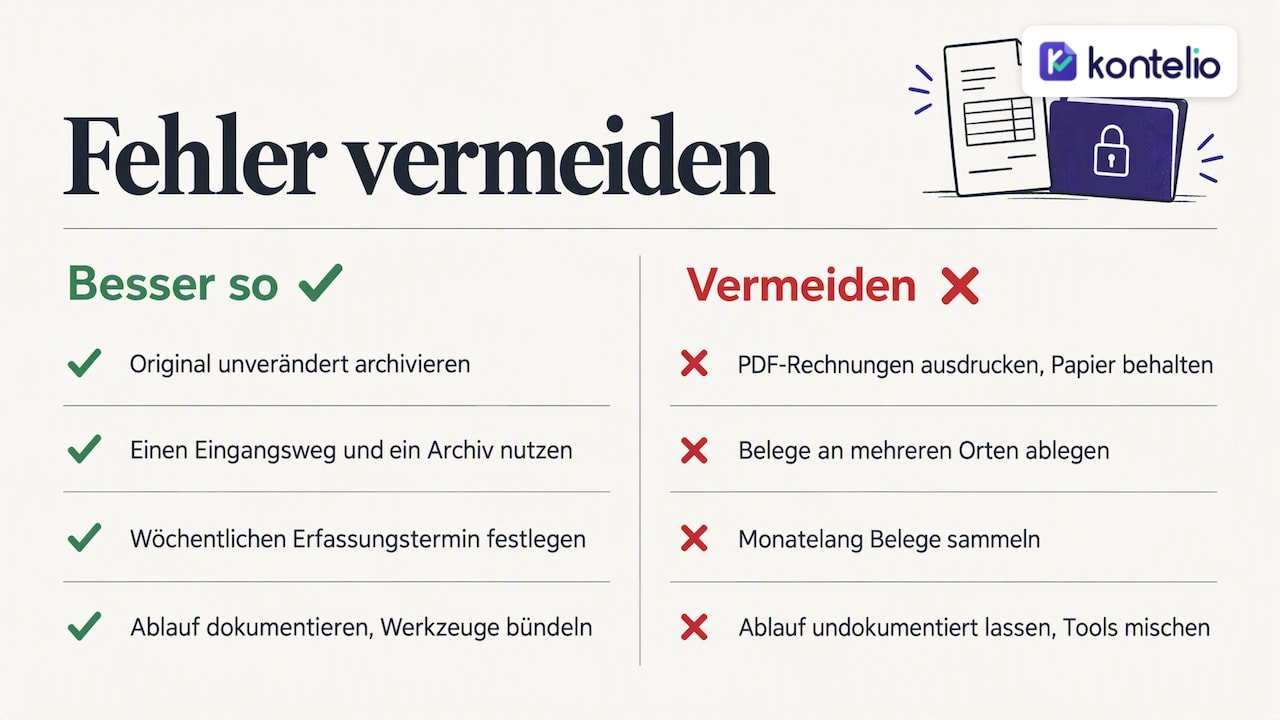
Printing PDF invoices and keeping only the paper. As described above, the file is what counts. Archive the original unchanged in the software.
Duplicate filing without a rule. If you store receipts sometimes in your inbox, sometimes in cloud storage and sometimes in the software, you won’t find them when questions come up. One input channel, one archive.
Collecting for months. The deadlines for timely recording can only be met with a fixed routine. A fixed slot each week is more realistic than one big monthly session.
No process documentation. Many small businesses think it is a topic for large companies. It is mandatory, and a short, honest description of your workflow is better than none.
Too many tools. One tool for invoices, one for receipts, a spreadsheet for VAT and the ELSTER portal for filing: every handover is a source of errors. The more happens in one system, the less you have to retype.
Sharing all logins. If employees or the tax firm work with you, each person should have their own login with suitable permissions. That way it remains traceable who changed what.
Our view: digitizing means simplifying
We see every day why digitization fails for self-employed people: not because of the technology, but because the new workflow seems more complicated than the old folder. That is why we believe good bookkeeping software has to adapt to your business and not the other way round. A designer with ten invoices a month needs different categories and views than a trade business with materials, vehicles and employees.
Language is just as important to us. In Germany, many people whose native language is not German start businesses. They understand their tax obligations perfectly well, but sorting out technical terms such as Vorsteuer (input VAT), Zufluss (receipt of income) or Anlagevermögen (fixed assets) in a foreign language costs time and nerves. That is why Kontelio can be used in several languages, while invoices, EÜR and advance returns follow German requirements.
And we consider the last step the most important: only when the figures reach the Finanzamt without retyping is your bookkeeping truly digital. That is why submission via ELSTER is built directly into our software.
— Paulo
Switching over with Kontelio
Kontelio combines the steps from this article in one interface: invoices and e-invoices in ZUGFeRD and XRechnung, receipt capture via photo upload, legally compliant archiving, EÜR, Umsatzsteuer-Voranmeldung and annual return, as well as direct submission via ELSTER. Deadline reminders and customer and supplier management are included.
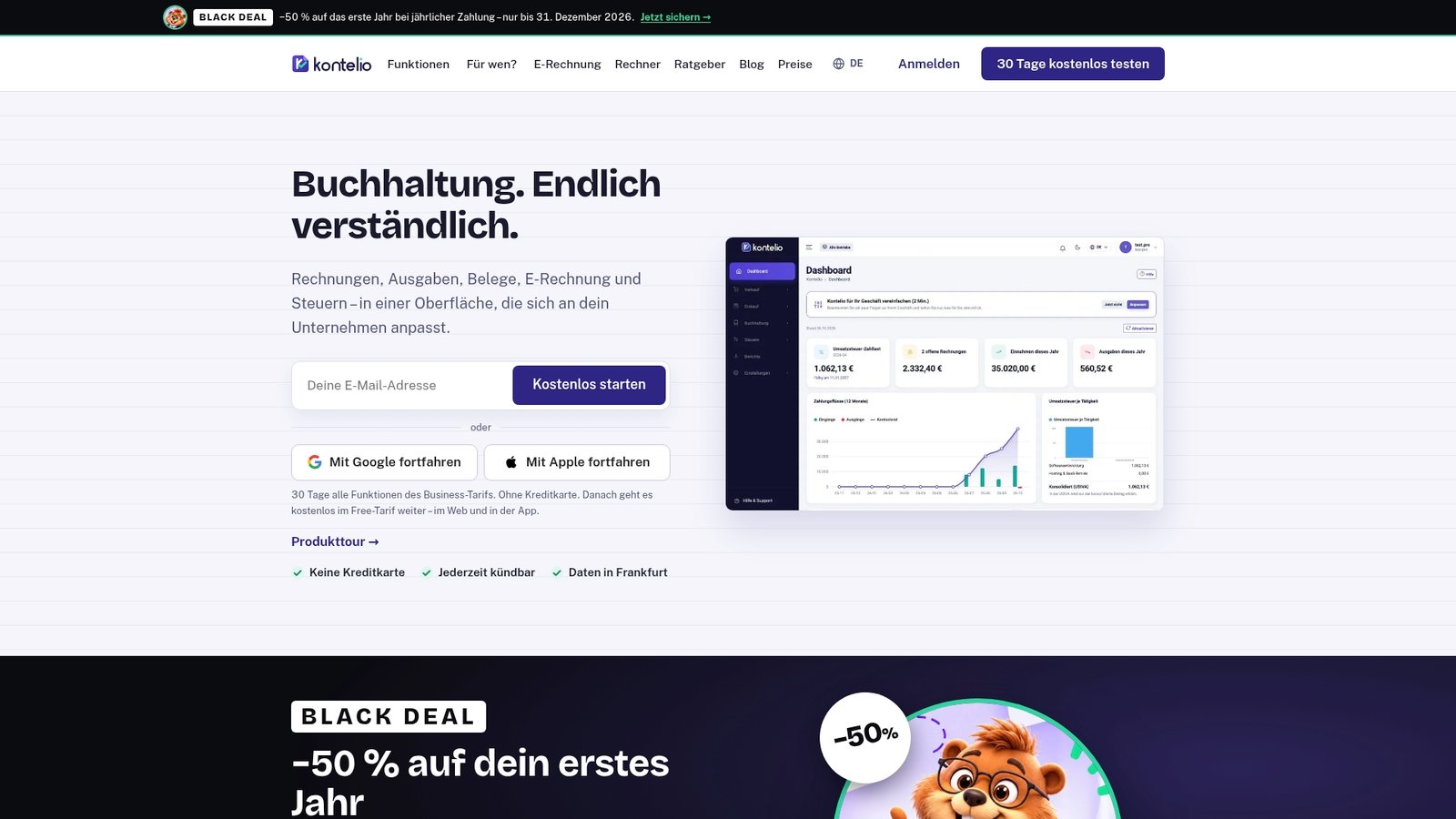
You can try Kontelio free of charge for 30 days, without a credit card. After that, you choose a plan: Start for €99 per year or €9.90 per month, Business for €199 per year or €22.90 per month, Pro for €299 per year or €32.90 per month. All details are on our pricing page. If you’d like to see what the workflow looks like first, start with the product tour in nine steps.
Frequently asked questions about digital bookkeeping
May I throw away paper receipts after scanning?
So-called substitute scanning is generally possible if your process documentation contains a scanning rule and the digital document is archived completely, legibly and unchanged. For documents with a special evidential function, such as contracts or customs papers, you should first clarify with your tax advisor whether to keep the original. If in doubt, keep the paper as well.
Do I need process documentation as a Freiberufler with an EÜR?
Yes, the obligation applies to everyone required to keep books and records, including those using the Einnahmenüberschussrechnung (EÜR). For small businesses, a compact description of software, receipt intake, recording, archiving and data backup is enough. What matters is that it matches your actual workflow.
How long does the switch take?
For a one-person business, setup, bank connection and the first invoices can often be done in an afternoon. It usually takes one to two months for the document flow to become a habit. The easiest time to start is at the beginning of the year or quarter.
Is a PDF invoice enough, or do I have to issue e-invoices?
That depends on whom you invoice and which transitional stage applies to you. In business-to-business transactions, the E-Rechnung is gradually becoming mandatory in Germany. The quickest way to clarify your specific case is our E-Rechnung obligation calculator.
Sources
- IHK Wiesbaden: GoBD – What needs to be done?
- IHK Magdeburg: Tax requirements for cash registers
- Haufe: Software for tax advisors, using interfaces cleverly
- KreditImmo: Mortgages for freelancers, bank and documents
Recommendations
This article was machine-translated from German. Only the German version is authoritative.