Business activities
Create, edit and end business activities – each with its own invoice prefix and its own EÜR.
Under Business activities you manage your business activities, for example freelance software development and a commercial training business. Each activity has its own invoice number range and its own profit calculation; invoices, expenses and postings are assigned to an activity.
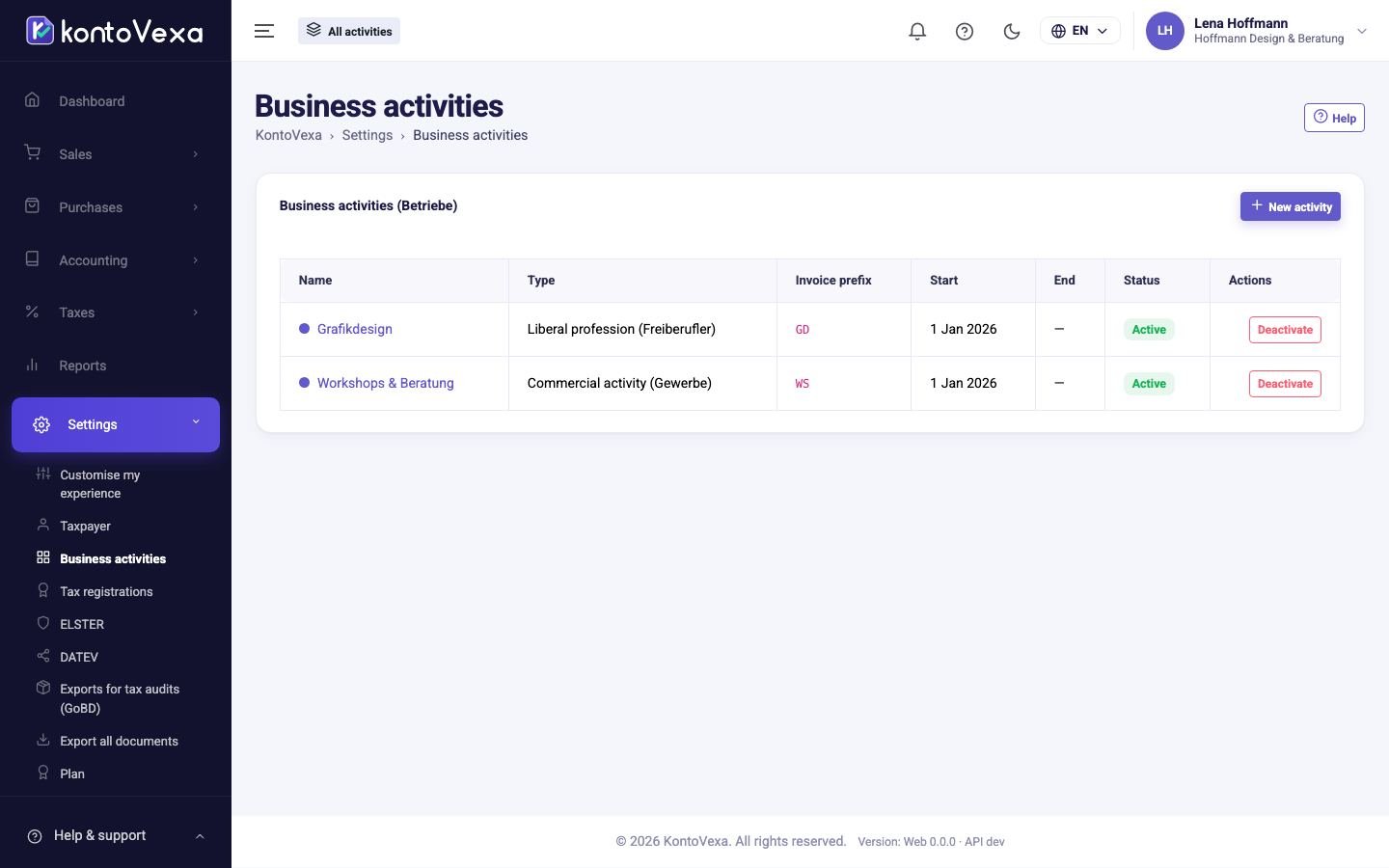
Create a business activity
- Click New activity.
- Fill in the fields (see the table).
- Click Save.
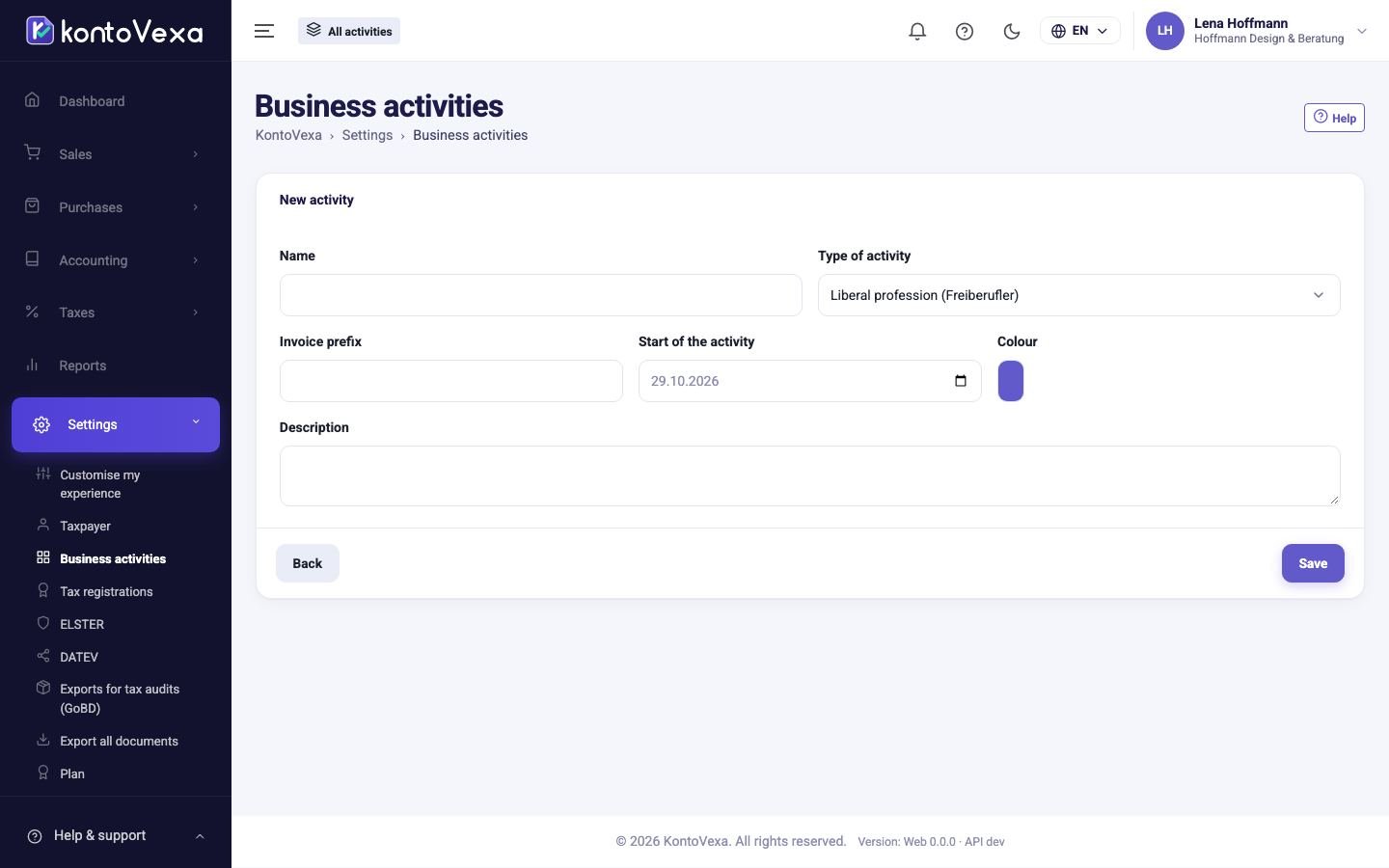
| Field | Meaning |
|---|---|
| Type of activity | Liberal profession (Freiberufler), Commercial activity (Gewerbe) or Other activity. This determines whether the activity is subject to trade tax. |
| Invoice prefix | Up to ten capital letters or digits, for example SW. Precedes every invoice number of this activity (SW-2026-000001). Each activity needs its own prefix. |
| Start of the activity | Cannot be earlier than the start of your business. |
| Colour | Marks the activity in lists and in the activity selector in the header. |
The name must also be unique among your activities.
Enter trade tax details
In the list, click the name of an activity of type Commercial activity (Gewerbe). A section for trade tax appears below the form.
- Enter the municipality and, if known, the eight-digit municipality code (Gemeindeschlüssel).
- Click Save.
KontoVexa uses the municipality in the Trade tax return. You do not need a multiplier (Hebesatz): the municipality calculates the trade tax. Record the prepayments from your trade tax assessment under Tax payments and refunds; Open tax payments takes you there.
End a business activity
- In the list, click Deactivate next to the activity.
- Under End of the activity, enter the last day and confirm with Deactivate.
All existing invoices, expenses and postings are kept. After the end date, no new transactions can be assigned to the activity. Reactivate resumes it.
Good to know
- The last active activity can be neither ended nor deleted.
- Delete in an opened activity only works if it was created less than 24 hours ago and has not been used yet – in other words, for a typo. Otherwise, end it.
- The Start plan includes one active activity. For more, the button shows the Business plan and leads to the Plan page.
- You define how invoice numbers are structured under Invoice number series, and which users see which activities under Users.
- Only owners, administrators and the tax adviser may create and change activities.