Tax registrations
Record and replace the Steuernummer, USt-IdNr., W-IdNr. and Steuer-IdNr. with their validity.
Under Tax registrations you store the numbers the tax office and the Federal Central Tax Office have assigned to you. KontoVexa prints them on invoices and uses them in returns. Each number has a validity period, so older documents always show the number that applied at the time.
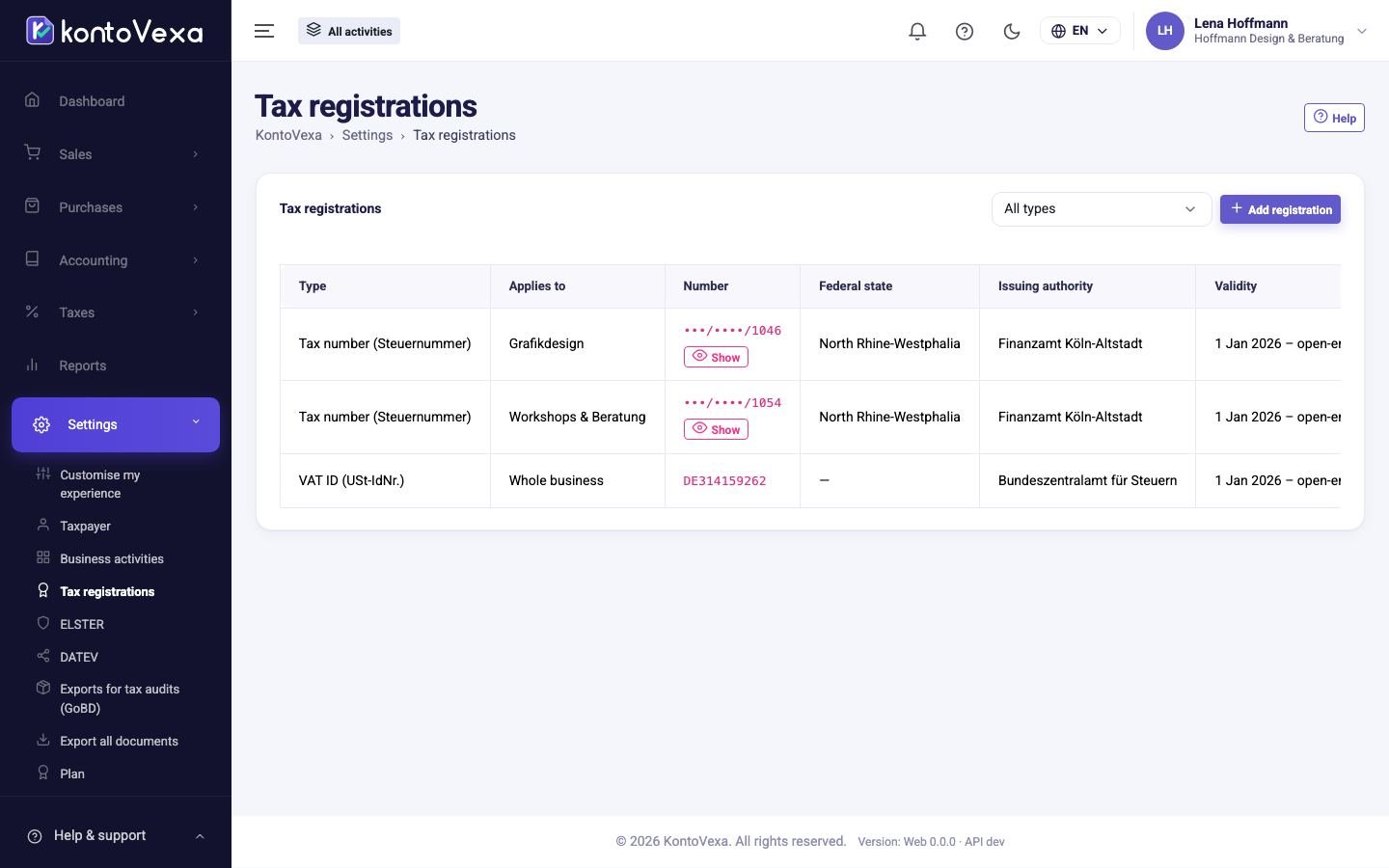
Add a registration
- Click Add registration.
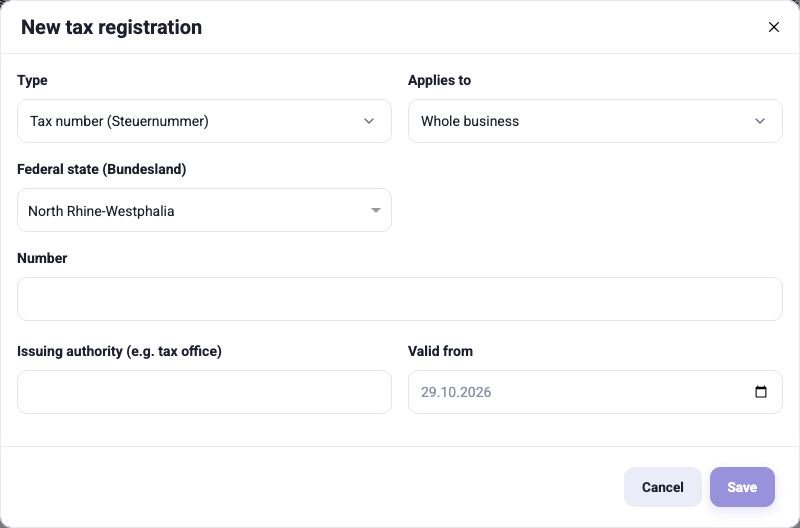
- Under Type, choose the kind of number.
- Under Applies to, choose whether it applies to the Whole business or only to one business activity. This matters for the Steuernummer if an activity has its own; the USt-IdNr. and Steuer-IdNr. always apply to the whole business.
- For the Steuernummer, choose the Federal state (Bundesland) and enter the Number exactly as it appears in the letter. KontoVexa checks the format as you type and shows the expected format and the ELSTER notation.
- Add the Issuing authority (e.g. tax office) and Valid from.
- Click Save.
Replace or end a number
A registration is never deleted, so that the history remains traceable.
- You received a new number (for example after moving to another tax office): click End and replace next to the old number, enter the New number and the date from which it applies, and click Replace. The old number ends the day before.
- A number no longer applies: click End, enter the last day of validity under Valid until and confirm with End.
Status
| Status | Meaning |
|---|---|
| Valid | Applies today. |
| Future | Only applies from a later date. |
| Ended | Applied in the past and remains visible in the history. |
Use the Type filter above the list to show only one kind.
Good to know
- The Steuernummer, W-IdNr. and Steuer-IdNr. are partly masked in the list. Show shows the full number for a few seconds. Every reveal is recorded in the Audit log; owners, administrators and the tax adviser have the right to do this. The USt-IdNr. appears on every invoice anyway and is shown in full.
- Only owners, administrators and the tax adviser may make changes; the other roles can only view the list.