Customise my experience
Answer a few questions about your business so that the “Simple” mode shows only what you need.
Under Customise my experience you describe in a few questions how your business works: what you sell, to whom, how money comes in and goes out and which returns you file. In the Simple mode, KontoVexa then hides everything that does not matter to you. Your data and the tax rules do not change.
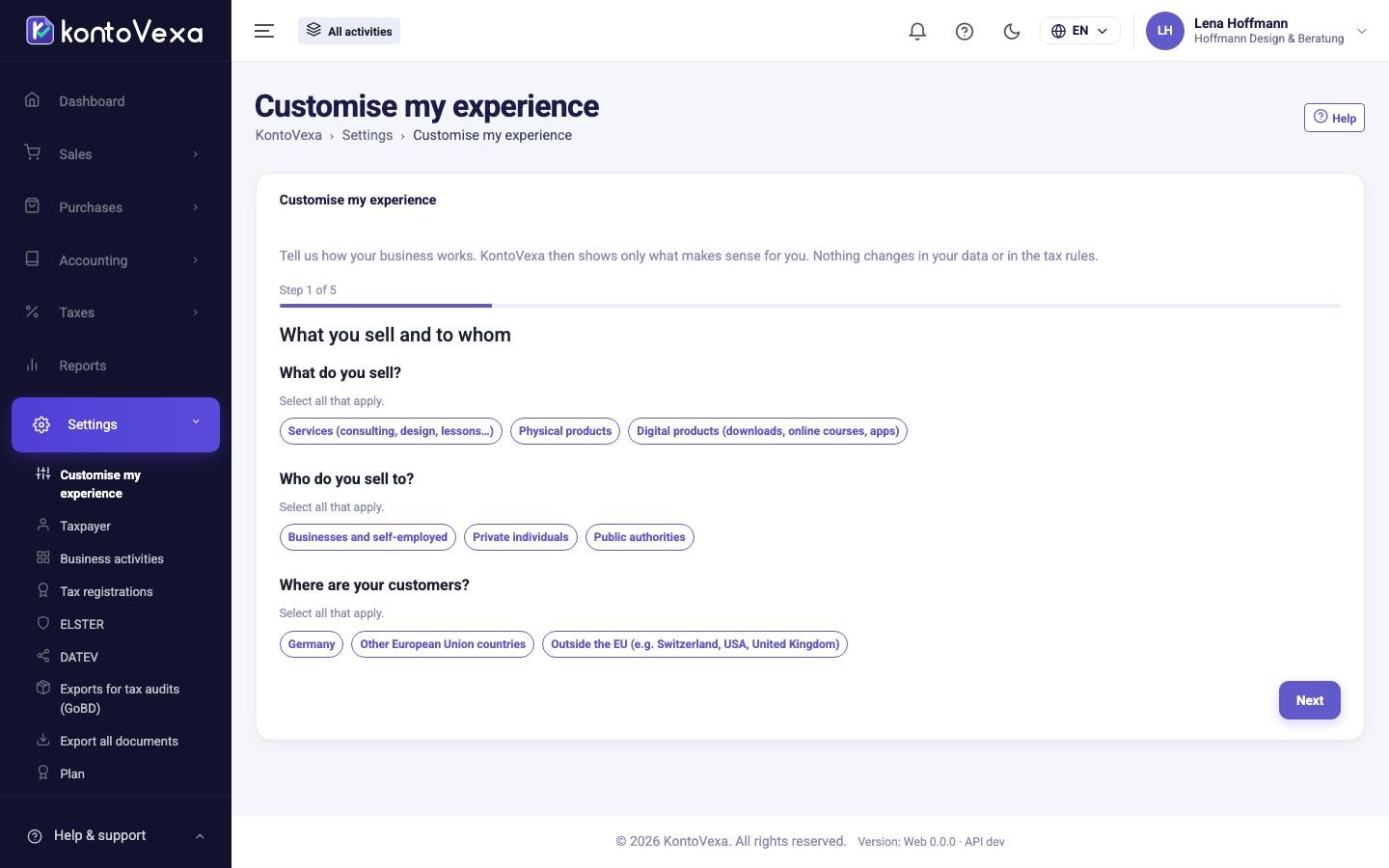
Answer the questions
As long as the profile has not been set up, the questionnaire opens straight away.
- Answer the questions of each step: What you sell and to whom, How money comes in and goes out, Your expenses and Tax returns. Where it says Select all that apply., several answers are possible.
- Click Next each time. Back lets you correct an earlier step.
- In the last step, Check what changes shows what will be displayed from now on and what stays in the Complete mode.
- Click Save.
After the first save, KontoVexa asks whether you want to switch to the Simple mode right away. You can change the mode in the user menu at any time.
Change your answers
Once the profile is set up, the Your answers tab shows your answers, grouped into the four areas.
- Click Change next to the area that has changed.
- Adjust the answers and check the preview.
- Click Save.
If someone else has changed the profile in the meantime, KontoVexa loads the current version and asks you to check your answers again.
Suggestions from your data
If KontoVexa notices something in your data that your profile does not cover – for example an invoice in US dollars – a suggestion appears at the top, with the reason.
- Add to my profile adds it to your answers.
- Not now hides it. The feature still appears as soon as your data needs it.
With Restore suggested profile, KontoVexa recalculates all answers from your actual data (customers, currencies, accounts, products). You see every changed answer and only apply the result with Apply suggested profile.
History and reset
- The Change history tab shows who changed the profile and when, answer by answer, with Before and After.
- Reset deletes all answers. KontoVexa then shows everything again until you answer again. Receipts and postings are not affected.
Good to know
- The profile applies to the whole business, not just to you. Only users who manage the business settings may change it; everyone else can only view the answers.
- What you do not see in the Simple mode is not gone: all features are available in the Complete mode, and existing records always remain visible.
- The profile never determines a user's permissions. That is done exclusively under Users.
- If this page shows Customisation is not available for this business yet., customisation has not been enabled for your business yet.