Fixed asset schedule (AVEÜR)
Check the Anlage AVEÜR per activity and year, finalise it and transcribe it into ELSTER.
Available in the plans: Business Pro
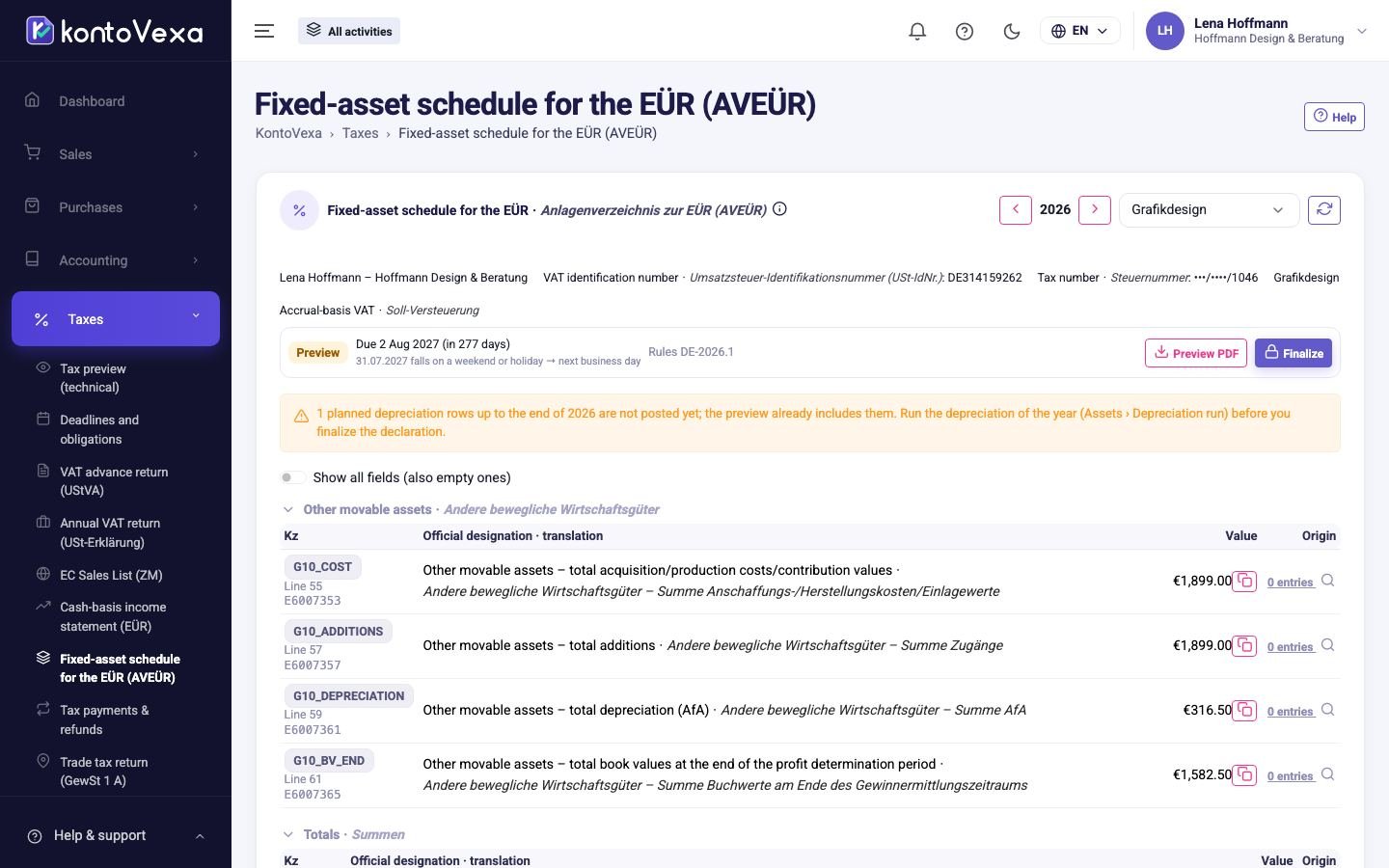
Under Fixed-asset schedule for the EÜR (AVEÜR) KontoVexa prepares the Anlage AVEÜR, the fixed asset schedule to the Anlage EÜR. For each activity it shows how the items of Anlagevermögen (fixed assets: things you use in the business for more than a year) developed during the year. KontoVexa does not file the annex; you transcribe the values into ELSTER and record the filing here.
Open an Anlage AVEÜR
- Choose the year at the top. The list shows one row per activity.
- Click the year in the row of the activity.
- In the return, change the year with the arrows and the activity with the Business activity selector.
The values are grouped by the groups of the form, one row per field with the value you enter in ELSTER; empty fields are shown with Show all fields (also empty ones). Below them is the list of your assets with the columns of the official form:
| Column | Meaning |
|---|---|
| Cost (AK/HK) | Anschaffungs- oder Herstellungskosten: acquisition or production cost of the assets. |
| Book value 1 Jan | Residual book value at the start of the year. |
| Additions | Assets acquired during the year. |
| Special depreciation | Sonderabschreibungen: special depreciation of the year. |
| Depreciation (AfA) | The regular AfA (depreciation) of the year. |
| Disposals | Residual book value of the assets sold, withdrawn or written off during the year. |
| Book value 31 Dec | Residual book value at the end of the year. |
The figures come from your fixed assets and their depreciation under Fixed assets. If an item is missing or a value is wrong, correct it there; the Anlage AVEÜR recalculates the next time you open it.
Below the groups is field 490 (E6007372): the total depreciation (AfA) of all movable assets, as on the official form. It is carried over to the Anlage EÜR.
Finalise, transcribe and record
- Click Finalize, confirm the notices and then Finalize. The annex is created in the background.
- Click Prepare filing and transcribe the values with the copy icon (⧉) into the Anlage AVEÜR in ELSTER.
- After filing, click Register filing and record the date, Transferticket and, if you have it, the transmission protocol.
Statuses, versions and corrections work as for the VAT return, see VAT return (UStVA).
Good to know
- The Anlage AVEÜR has no deadline of its own: the list shows the due date and status of the Anlage EÜR of the same activity.
- Finalising the Anlage AVEÜR does not lock any postings; that happens when you finalise the Anlage EÜR.
- Finalise the Anlage EÜR and the Anlage AVEÜR on the same state, so that the depreciation matches in both.